ShotSender is a free Figma plugin that helps designers prepare, preview, and publish high-quality Dribbble shots from Figma.
I built ShotSender for one simple reason: I want more designers to show their work.
Not only perfect work. Not only big case studies. Also small UI ideas, experiments, product screens, visual explorations, and unfinished thoughts that can start a good conversation.
Design grows when people share. When more designers publish their work, they get feedback, build a portfolio habit, and become more visible in the design community.
Show your designs
I like the idea of a small movement around this: show your designs.
Many designers keep their files inside Figma for too long. They wait until everything feels perfect. But a portfolio does not grow by waiting. It grows by publishing.
Dribbble is still a useful place for this. It helps designers share visual work, discover each other, and create small moments of interaction around design.
What is ShotSender?
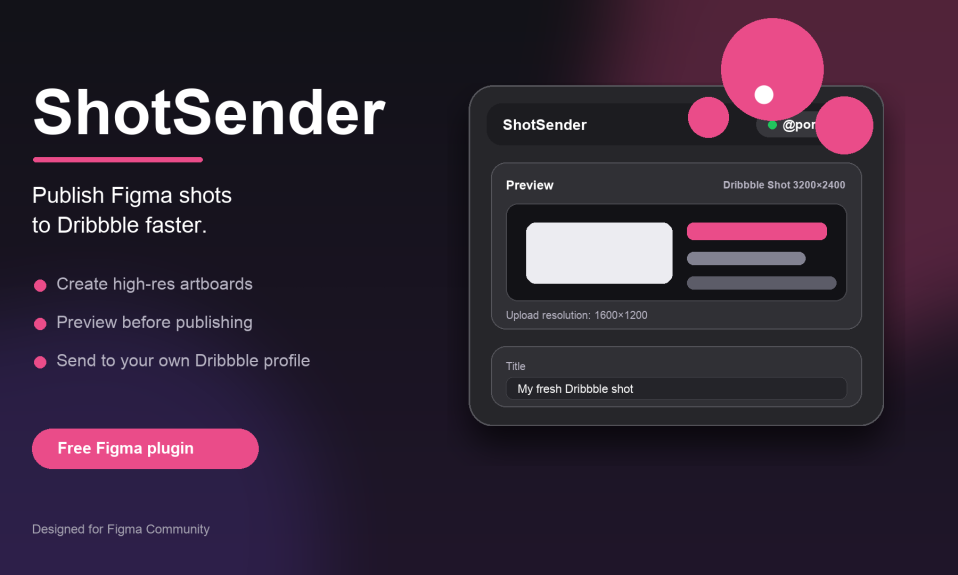
ShotSender is a free Figma plugin that helps designers prepare and publish high-quality Dribbble shots directly from Figma.
You can create a 3200×2400 / 2 artboard, preview your shot, add a title, description, and tags, then publish to your own Dribbble profile through a final review step.
The goal is not to make design more complicated. The goal is to make sharing easier.
Download ShotSender
ShotSender is now available on Figma Community.
Install ShotSender from Figma Community
It is free. You can install it, open it inside Figma, connect your own Dribbble profile, and start preparing your shots from the same workflow.
Why I made it
The hardest part is not always designing the shot. Sometimes the hard part is preparing it, checking the size, writing the title, adding tags, exporting, and uploading it again.
ShotSender removes some of this friction.
If sharing becomes easier, maybe more designers will publish more often. That is the real idea behind this plugin.
Privacy
Your Dribbble connection token is stored locally in Figma client storage. ShotSender does not store your Dribbble token in its own database.
Who is it for?
- UI designers who want to share more work
- Product designers building a visual portfolio
- New designers who want to start publishing
- Designers who use Figma and Dribbble together
- Anyone who wants a faster Dribbble shot workflow
Final note
ShotSender is completely free.
My hope is simple: more designers should show their designs, share their process, and create more interaction around their work.
By Burak Poryaz
Mail: burak@poryaz.com
LinkedIn: https://www.linkedin.com/in/poryaz/
Site: poryaz.com